What's new
VORON Design

Register a free account today to become a member! Once signed in, you'll be able to participate on this site by adding your own topics and posts, as well as connect with other members!

Voron 2.4 Unable to connect to OctoPrint Error 7 (Found a workaround)

emilm

Member
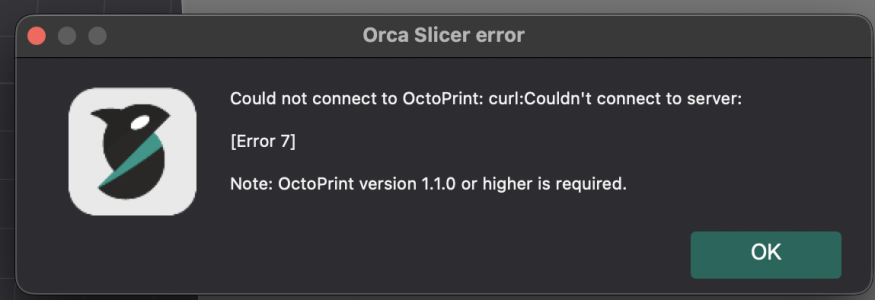
After many months of printing, I updated to the latest software versions and also updated to OrcaSlicer 2.3.2. I am now getting an OctoPrint Error 7 - unable to connect.

After lots of searches - I am lost on how to proceed and would greatly appreciate some help.


Error.png

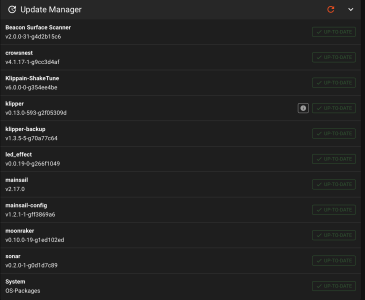
Versions.png
 
Thank you for the response - I guess the downside to purchasing a second-hand printer is - I have no clue. Any chance you might point me to a way to covert?
 
Thank you for the response - I guess the downside to purchasing a second-hand printer is - I have no clue. Any chance you might point me to a way to covert?
The OS for the printer is Klipper and you are running Mainsail by default. That means you just need to enter the IP address of the printer into your web browser and BOOM, full access to the printer, and all the files and config on the printer.
 
The strange part is that I have no issue connecting to the printer via the OrcaSlicer or as you suggested (via an IP address). I only see the error message when I try to "Test" in the physical printer box. Or, after I slice the object and try to print directly to the printer from OrcaSlicer.

If I save the sliced object on the local computer drive, then go to the OrcaSlicer printer tab - hit the "Upload and Print" - it all works.

I tried the Bambu Lab slider with the same error in the same places. But, I tried Prusa slicer and I don't see the error.

Thank you again for your reply. I guess at this point, I have a work-around and this summer, I will reinstall the RPI.
 
Top