
What's new
VORON Design

Register a free account today to become a member! Once signed in, you'll be able to participate on this site by adding your own topics and posts, as well as connect with other members!

Cumulative layer shifting on a Voron 2.4 r2

Mykola

New member
Hi everyone!
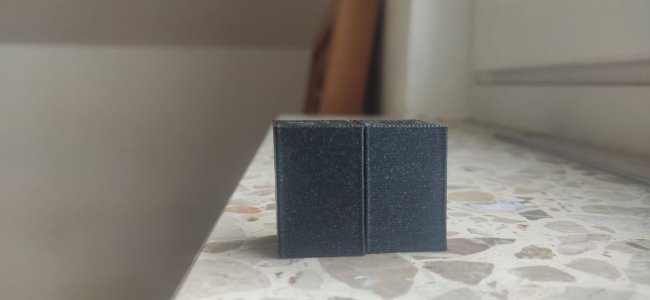
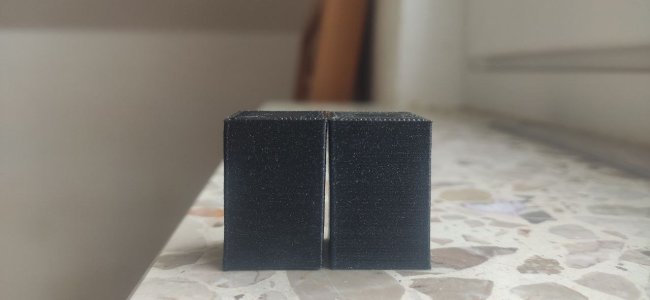
I’m having an issue with my Voron 2.4 R2 (350x350x350) – I’m seeing cumulative layer shifts during long prints (the longer the print, the more the shift is visible on the X and Y axes).

Hardware setup:
  • Mainboard: BIGTREETECH Manta M8P V2.0 with CM4
  • Toolhead board: EBB SB2209 (CAN)
  • Drivers: TMC2209 in UART
  • Input shaper configured using ADXL345
  • Z-probe: Voron TAP
What I’ve tried so far:
  • Belt tension verified and even
  • Motors and pulleys are secure
  • I swapped X/Y motors and drivers – no improvement
  • No overheating detected
Could the problem be caused by the mainboard, CAN communication, or possibly power issues?
Any help or suggestions would be highly appreciated!
 

Attachments

  • photo_5280578148183962000_y.jpg
    photo_5280578148183962000_y.jpg
    59.6 KB · Views: 20
  • photo_5280578148183961999_y.jpg
    photo_5280578148183961999_y.jpg
    49.1 KB · Views: 20
Humm, if your sure its not skew and is in fact layer shifts.
Is the config for the motors correct?
What speed and accecls are you running?
Current of drivers?


The current is set to 0.9 A, speed is 150 mm/s, and acceleration is 5000 mm/s².
I’m using TMC2209 drivers.
 
Anyway to get a fan on the drivers?
What about the tension in the Z belts? Could there be some wobble in the frame or gantry?
 
Hi, did you find a solution? I recently noticed that a lot of screws inside my 2.4 got somewhat lose after 400h of printing and since i retightened the screws, i got a similar problem. I didn't change anything else but from then on the printer didn't work. Already did a lot of things: re-belting 3 times, swapping 2209s, checked every idler/bearing stack, squared the gantry, ... Everything feels smooth and still no improvement.

b.
 
Hi, did you find a solution? I recently noticed that a lot of screws inside my 2.4 got somewhat lose after 400h of printing and since i retightened the screws, i got a similar problem. I didn't change anything else but from then on the printer didn't work. Already did a lot of things: re-belting 3 times, swapping 2209s, checked every idler/bearing stack, squared the gantry, ... Everything feels smooth and still no improvement.

b.
Not intending to sound like a smartalec but I gotta ask, did you use a thread locker like Lock-Tite or Permatex on all your T-nuts for at least the frame and gantry? I used the blue stuff for things that might need to be re-adjusted later - can be removed without heat, and red for more permanent things. I actually used the red for the hammer-head nuts and panel clips so they act like 1/4 turn fasteners now.
 
Not intending to sound like a smartalec but I gotta ask, did you use a thread locker like Lock-Tite or Permatex on all your T-nuts for at least the frame and gantry? I used the blue stuff for things that might need to be re-adjusted later - can be removed without heat, and red for more permanent things. I actually used the red for the hammer-head nuts and panel clips so they act like 1/4 turn fasteners now.
It was in fact something completely different: Kalico!

So after i tried further things on the hardware i had the desperate idea that it could be software related. I then converted back to mainline Klipper (host and MCUs), and it worked fine! As an experiment, i ran Kalico as the host and left Klipper on the MCUs and aside from a warning that the MCUs should also use Kalico, it also worked fine. Finally also flashed the MCUs with Kalico and the skew was back. Already filed a bug report.

I was originally investigating an extruder problem and found the many lose screws accidentally. During all this i made an update of Kalico and didn't notice the skew because no print went far enough to show the skew. So i falsely attributed the skew to hardware.

BTW: i only used Loctite on all the grub screws but no other ones. Loctite seems to dissolve ASA so should not be used on screws that touch plastic. I could use it on the blind joints and for the linear rails but funny enough, these were the only screws that were still very tight.

I have setup a reminder in 100h printing and will check all screws then..

B.
 
Top